


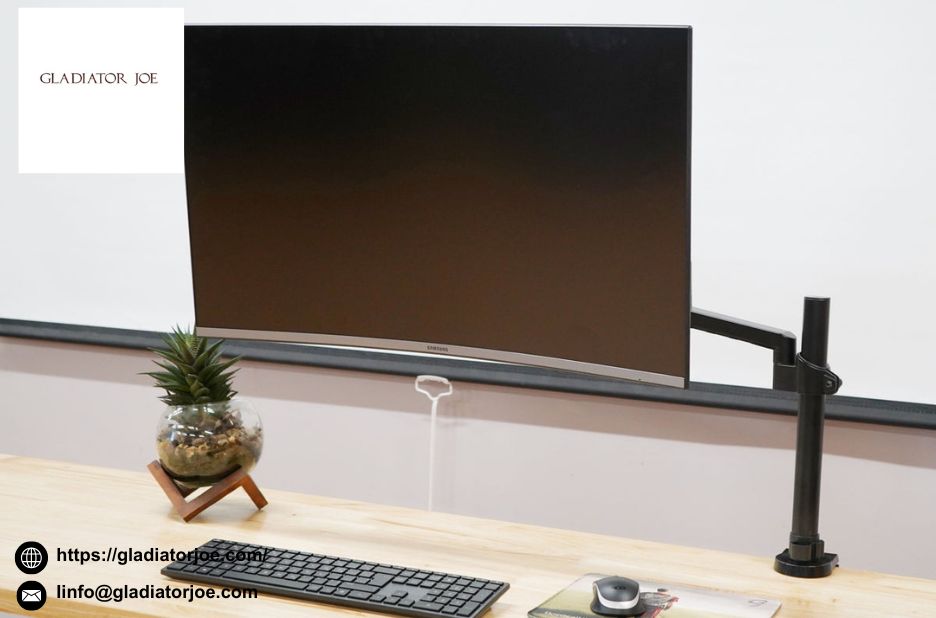
Overview of Mounting Options
When you outfit a monitor with reliable mounts and adapters, you open up a world of ergonomic and space saving possibilities. The right Mounts Vesa Adapter Accessories can adapt different stud arrangements to standard VESA patterns, ensuring a snug fit that reduces desk clutter and improves posture. This section covers how adapter kits map to Mounts Vesa Adapter Accessories common mounting systems and what features to look for, such as compatibility notes, weight thresholds, and build quality. Understanding these basics helps you choose components that play well with your existing mount or arm setup, whether used in a home office or a professional workspace.
Choosing a samsung monitor mount adapter
Your samsung monitor mount adapter needs to bridge the gap between your monitor’s mounting points and your chosen arm or wall bracket. Look for adapters that specify VESA compatibility, load rating, and screw patterns, as mismatches can lead to wobble or failure. A well designed adapter samsung monitor mount adapter provides secure alignment, reduces stress on the panel interfaces, and preserves tilt and swivel functionality. In practice, selecting a robust unit means less adjustment time and more comfortable viewing angles during long work sessions, gaming, or content creation.
Material and build considerations
Durability matters when you plan to adjust monitor positions frequently. Aluminum or reinforced steel bodies with quality anodized finishes resist wear, while integrated spring or grub screw systems secure the connection without slipping. Some Mounts Vesa Adapter Accessories include anti slip pads or vibration dampening features to protect screens from minor desk tremors. Paying attention to the finish, thread compatibility, and warranty terms can save you from early replacements and ongoing maintenance challenges.
Compatibility and installation tips
Before purchasing, verify your monitor size, weight, and VESA pattern, then confirm the adapter’s compatibility with your mounting arm or stand. A straightforward installation often involves aligning screw patterns, securing the adapter plate to the monitor using the provided hardware, and then attaching the combined unit to the arm. If you encounter a tight fit, check for spacer rings or alternative screw lengths offered by the kit. Following clear manufacturer instructions will minimize risk of damage during setup.
Long term considerations and maintenance
Once installed, periodic checks help maintain alignment and stability. Inspect screws for tightness, ensure the monitor is not experiencing fatigue at the mounting points, and clean away dust that can hinder movement. High quality adapters resist wear and keep your system flexible over time, supporting desktop reconfigurations without sacrificing safety. Keeping a small toolkit handy for occasional readjustments ensures your setup stays reliable as your needs evolve.
Conclusion
For a balanced, practical approach to extending your display setup, consider the right combination of Mounts Vesa Adapter Accessories and your existing mounting hardware. The goal is smooth adjustments, lasting security, and clean cable management without adding complexity. If you’re exploring more options or seeking specific guidance, visit gladiatorjoe.com for insights and similar tools that complement a well tuned workstation.
7 Comments
Pingback: auto zonder apk verkopen
Pingback: vodkatoto situs scam
Pingback: azino777-kz-sait.almapt.kz
Pingback: https://lucky-pari-promokod.ru
Pingback: https://almatyinvestmentforum.kz/ru
Pingback: skycrown-australia-pokies.com
Pingback: iMac reparatie in Aalten